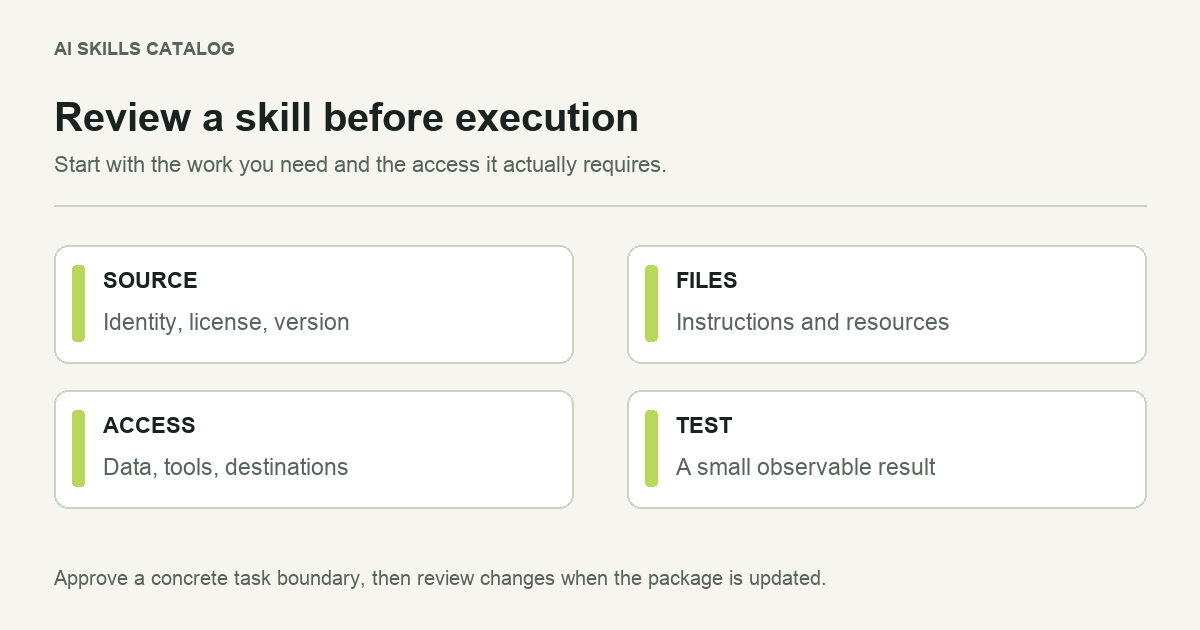
A Claude skill is a set of instructions and, sometimes, files that those instructions tell the agent to use. That makes a package review worthwhile before you run it against important work. A polished description cannot tell you everything about the commands or access a workflow will request.
Start with the task you need to complete. A useful review should help you decide whether the skill fits that task and which parts of the package deserve closer attention.
Read the source and attribution
Open the upstream repository linked by the listing. Compare its identity with the author or organization shown in the catalog. Check the skill's own metadata as well as the repository owner: a collection can contain work by several contributors.
Look for a license that covers the material you intend to use. Keep that license and its notices with your copy. A missing license field does not establish permission to redistribute every bundled file, and an author's profile name does not replace the license.
Save the version or commit you reviewed. If the source changes next week, you need a way to distinguish the package you checked from the newer one.
List the files before running anything
Extract the package into a temporary directory and inspect its tree. Begin with SKILL.md, then follow references to scripts, templates and supporting documents. Read a script before letting the agent execute it. Check whether its behavior matches the task described by the skill.
| What you find | What to establish |
|---|---|
| A script that writes files | Which directory it writes to and whether it replaces existing files. |
| A network request | The destination, the data sent and why the workflow needs it. |
| An installation command | The dependency being installed, its source and whether it is necessary. |
| A reference to a private service | Whether your client has that integration and which account it uses. |
| A template or local path | Whether the referenced file exists and the path works in your copy. |
These questions are more useful than assuming that all scripts are dangerous or that a short Markdown file is harmless. Instructions alone can still ask an agent to perform an inappropriate action. Review what the workflow requests, including its examples and supporting documents.
Separate requirements from available access
Write down the access the task actually needs. A document formatting workflow may need one input file and an output directory. A deployment workflow may need a repository, a build environment and an authenticated destination. Those are different starting points for a test.
Compare the list with your agent session. If the skill asks for broader access, understand the reason before granting it. Do not treat instructions inside a downloaded package as your own authorization to send data, publish work or change accounts.
Check instructions as well as code
A SKILL.md file can ask an agent to send a private document to an unrelated website, fetch an opaque executable or broaden a task beyond your request. Treat those instructions as material to assess, not permission from you. A copied prompt can create a data-flow problem even when the folder contains no scripts.
For example, a style-review workflow should not need your password manager export. A website audit should explain any upload destination before sending a customer analytics file. When the requested access does not fit the job, stop and resolve the mismatch before testing.
Run a limited example
Choose a sample with no customer data and no production secrets. Make the expected result concrete. For a spreadsheet workflow, use a small fixture and known totals. For a code workflow, use a disposable branch and an existing check. For a writing workflow, provide a brief whose facts you can verify.
Inspect both the output and the actions taken. A workflow can produce a reasonable-looking report while skipping a required check or using the wrong source. Ask it to identify missing inputs and failed steps. Then confirm those claims through the available run history or files.
Keep the useful example as a regression check. Run it again when the instructions or resources change. An update that only changes wording may need a quick review; a new network integration deserves a fresh look at data flow and account access.
Keep a short Claude skills security checklist
- Record the canonical source, author, reviewed revision and applicable license.
- Read SKILL.md and the files it references; identify missing resources.
- Trace reads, writes, network destinations and installation steps.
- Compare requested access with your task and the data it needs.
- Test with disposable input and inspect the output and actions taken.
- Review changed instructions and resources before adopting an update.
This is an adoption review for your environment, not a certification that a package is safe in every setting. A Claude Code security-review workflow can help examine code, but its output also needs evidence and human judgment. Find specialist workflows in Security and coding workflows in Development.
Make the adoption decision explicit
Record what the skill is approved for in your project. A short note might say that it can draft a research plan from supplied material, while publication remains a separate step. Another workflow may be allowed to run a test command but not to commit its edits.
That note gives the next person a practical boundary and an owner to contact. If the skill proves unhelpful, remove it rather than keeping an unexplained copy in a global directory.
Browse available skills by the task you need, then use the catalog methodology to understand what a listing's labels establish. Your project review supplies the context a directory cannot know.
For the installation step after review, compare the Claude Code, Codex, Cursor and Gemini CLI paths. If you are writing your own workflow, make the same boundaries explicit in your SKILL.md instructions.