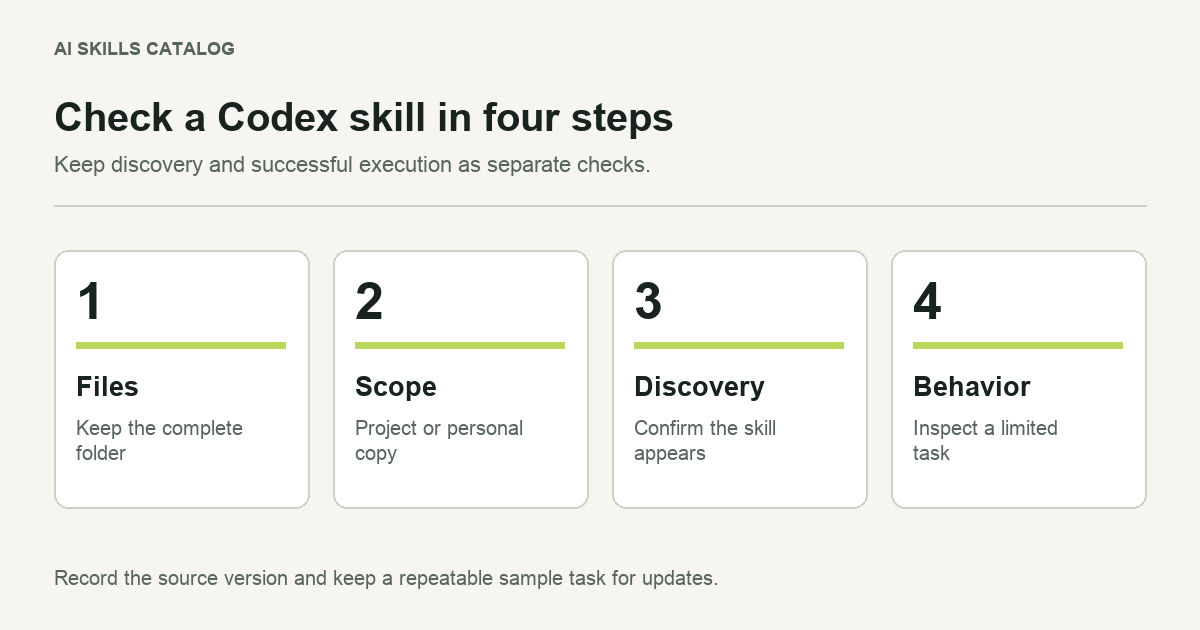
A skill becomes useful when Codex can discover it and carry out its workflow in your environment. Downloading a ZIP is only the start. Check the folder structure, choose the scope and run a task whose result you can judge.
This guide covers local skill folders. A plugin is a separate distribution package and may include skills alongside other capabilities. If a repository distributes a plugin, follow that package's installation instructions rather than assuming that every directory is a standalone skill.
Inspect the package
Extract the download into a temporary directory. Find the folder containing SKILL.md. Read its opening metadata and instructions, then inspect the supporting files it references. Preserve the directory structure when you install it.
A useful package inspection answers practical questions. Does the file describe the task you expected? Does it point to templates that are present? Are there scripts, and what do they do? Does it require a connector, a local command or access to a service you do not have?
A catalog package can preserve an upstream workflow without adapting every tool reference. Treat the contents as the source of truth about what you are installing. The label on the download button is not a test result for your machine.
Choose project or personal scope
Current Codex documentation uses .agents/skills/ for repository skills and ~/.agents/skills/ for personal skills. Place the whole skill folder inside the chosen directory. For a project example, the final path could be .agents/skills/review-change/SKILL.md.
A project copy can be reviewed and versioned with the repository. A personal copy suits a workflow you use across unrelated projects. Choose one maintained copy for the task you are testing, and check for another skill with the same name before assuming which one will appear.
Codex detects changes to local skills. If a newly added skill does not appear, restart the application and check the directory again. You can also ask the built-in skill installer to install from a supported repository, rather than moving files yourself.
Check discovery separately from execution
First confirm that the skill is available. Then run a small task. Keeping these checks separate makes a failure easier to understand: a missing skill points toward its path or metadata, while a discovered skill that cannot run a command points toward an environment requirement.
For a review workflow, create a small sample change in a disposable branch. Include one deliberate, harmless issue that the workflow should identify. Ask Codex to use the named skill and review only that change. Check whether the output includes the issue and whether any claimed checks were actually performed.
Use the review-change skill on this sample diff. Follow the project's existing checks, identify concrete defects and explain any check you could not run. Do not commit, push or change deployment settings.
The example deliberately limits the task. Once the workflow behaves as expected, widen the scope to a normal project change. If a task requires credentials, connect the required service through your usual supported setup. Do not paste secrets into the skill's instructions.
Keep an update trail
Record the upstream repository, the version or commit you installed and any local edits. On an update, compare the files instead of replacing them blindly. Pay particular attention to new scripts, network calls and changed output locations.
A short record is enough: where the skill came from, why the team uses it, who maintains the local copy and which sample task checks it. The purpose is to make the next update understandable to someone who was not present for the first installation.
When the result is disappointing, identify the specific mismatch. The skill may have been chosen for the wrong task; a tool may be unavailable; the source may expect a different client; or the instructions may be too vague. Reinstalling the same files will not resolve every one of those problems.
Use the Codex directory to find candidates and the package review guide to decide what to inspect before execution.