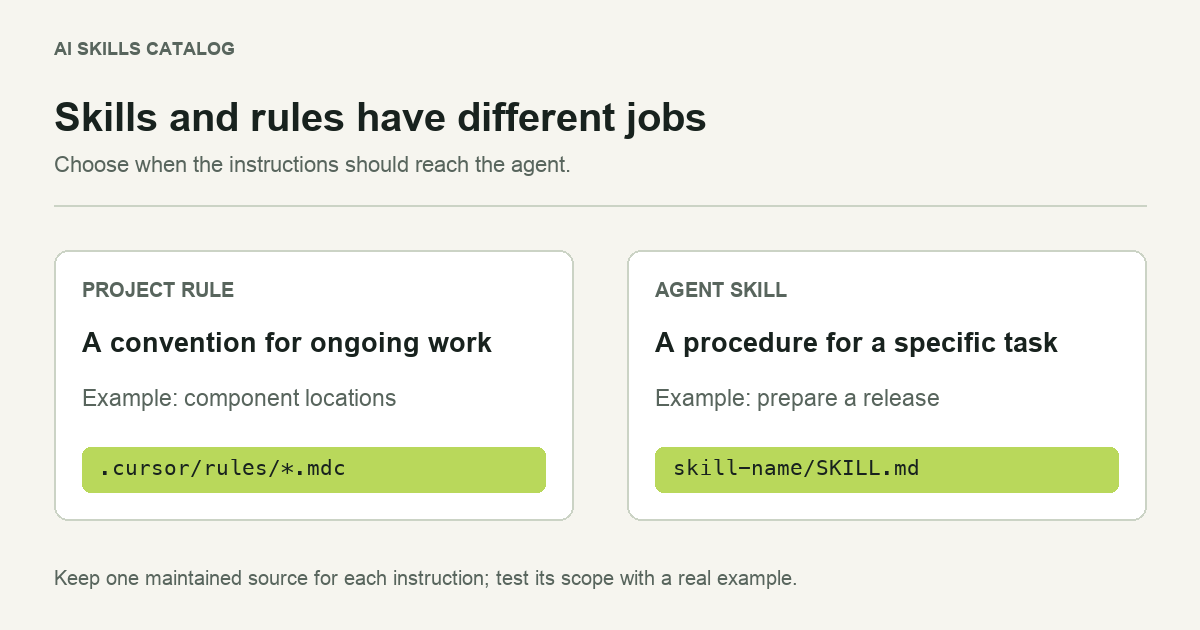
Many instruction problems begin with a file in the wrong place. A team puts its whole release procedure into an always-applied rule, so every small edit arrives with release instructions. Another team puts a basic repository convention into a skill that nobody remembers to invoke.
Both files can contain sensible advice. The problem is when the advice reaches the agent. Choose a home based on the job the instructions do, then keep one maintained version.
The practical difference
A skill packages a task workflow in a directory with SKILL.md and optional supporting files. A Cursor project rule is an .mdc file in .cursor/rules/. Its configuration controls whether it is always applied, matched to files, selected by relevance or invoked manually.
| Instruction | Useful starting point | Reason |
|---|---|---|
| Use the repository's existing test command. | Project rule | A convention that should guide ordinary work. |
| Prepare a release with a changelog, checks and rollback notes. | Skill | A procedure with a specific trigger and deliverables. |
| Place React components in the team's chosen directory. | File-scoped rule | Relevant to a defined part of the codebase. |
| Run a customer interview planning workshop. | Skill | A separate task with inputs, stages and an output. |
These are starting points rather than a rule about every project. A short workflow may work as a manual rule. A skill may carry conventions required for its own task. The distinction becomes useful when it reduces irrelevant instructions or makes ownership clearer.
A rule should be easy to maintain
Imagine the team changes its test runner. You should be able to update that convention in one obvious place. If the old command appears in six skills and two rules, the change is already harder to review.
Keep shared facts close to the project: the supported runtime, the current build commands and the directories the team uses. Point task workflows to those facts when needed, rather than copying them into every procedure. Avoid using an always-applied rule as a storage cupboard for every instruction the team has ever written.
For a rule scoped to a part of the repository, choose a path pattern that matches the actual files. Verify the scope with an ordinary editing task and another task outside that area. The second check helps you notice advice that is being attached too broadly.
A skill should have a clear task boundary
A useful skill answers four practical questions: when to use it, what information it needs, what work it performs and what it returns. A code review skill, for example, can ask for the change being reviewed, inspect relevant callers, run available checks and return findings with file locations.
That workflow is easier to reuse when its references and scripts stay beside the instructions. If you move it between clients, review those dependencies. A portable file format does not make a client-specific tool available in a different application.
Do you need to convert a Claude skill?
Current Cursor supports agent skill folders directly. Renaming SKILL.md to an .mdc file is therefore not a required installation step. If you choose to turn part of a workflow into a rule, treat that as an editorial decision: decide which instructions belong at that scope and review the rule's configuration.
Copying the whole skill into a rule can also separate it from its resources. Check every relative reference after a move. A checklist that tells the agent to read an unavailable template is a broken workflow even when its prose looks polished.
Make a small migration, then compare
Start with one repeated task. Record a sample input and the output you expect. Try it with the existing arrangement, then with the proposed skill or rule. Look for missed steps, irrelevant instructions and additional maintenance work. You do not need a large benchmark to notice that a release procedure has started appearing during a spelling fix.
Once the new arrangement works, remove the duplicate copy and document where the team should edit it. Keep the comparison sample with the project so that future changes can be checked against the same task.
See how to install a skill in Cursor for the folder-level steps, or browse the catalog when you have a specific workflow in mind.